The ore is labeled The Apex in-game (shortened to Apex here). These examples were observed in a September 25 video, not tested by us in the current build. Confirm the preview on your own Forge screen. The displayed class percentage is not a guarantee of the same named weapon or stats.
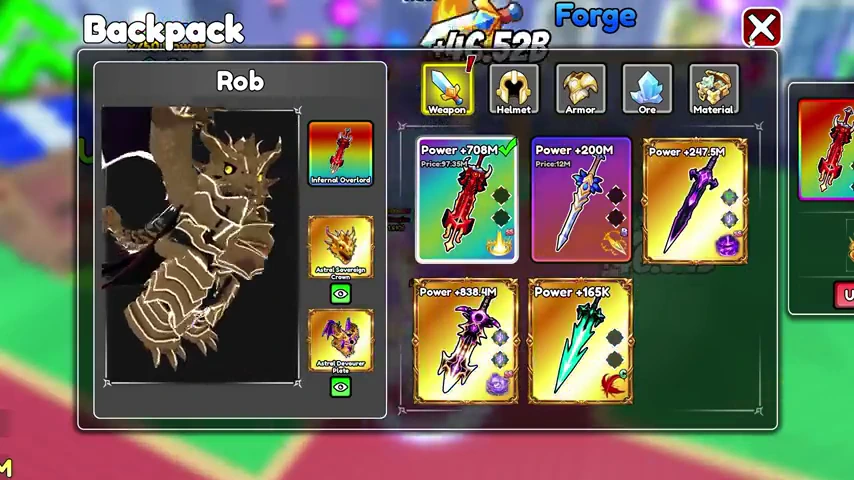
Infernal Overlord
- Input
- 13 × Apex
- Shown class
- Greatsword
- Result rarity
- Infinite
- Open the Forge and choose Weapon.The recorded player returns from late-game stages with Apex in their ore inventory.
- Add Apex and inspect Preview.At thirteen selected Apex, the recording displays a Greatsword preview of 100%. Recheck your own preview before committing.
- Forge, then read the named result.The reveal in this recording is Infernal Overlord, class Greatsword, rarity Infinite. This is one observed outcome.
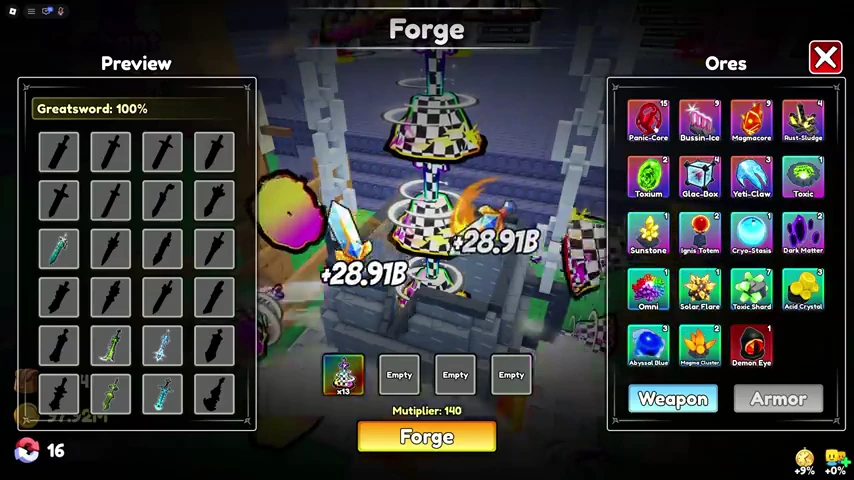
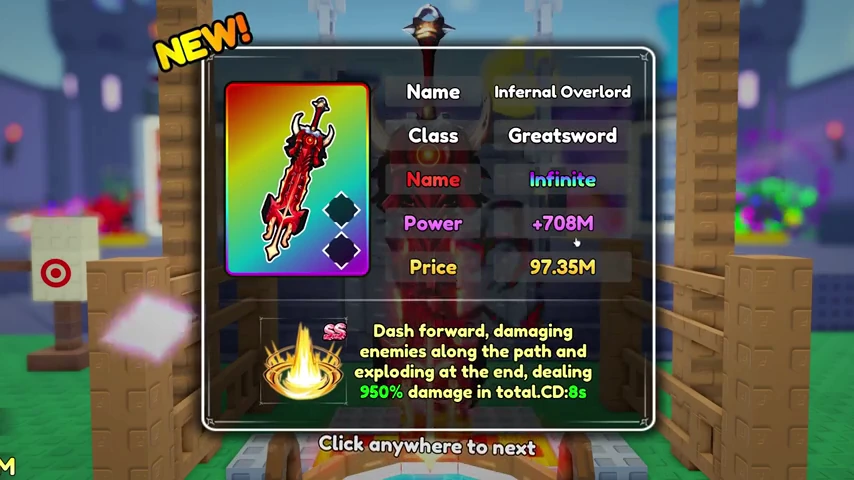
The video's narration shortens and expands item names at different points. This page uses the name on the result card: Infernal Overlord. We do not use its single Power value as a promised output for every craft.
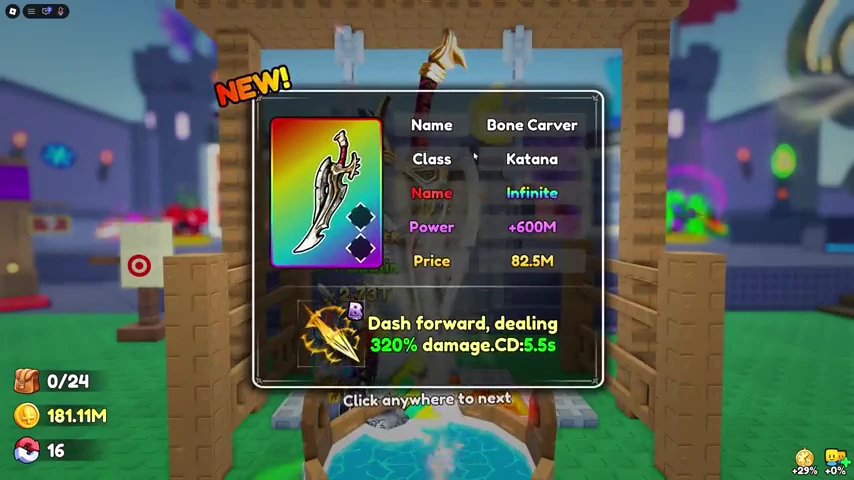
Bone Carver
- Input
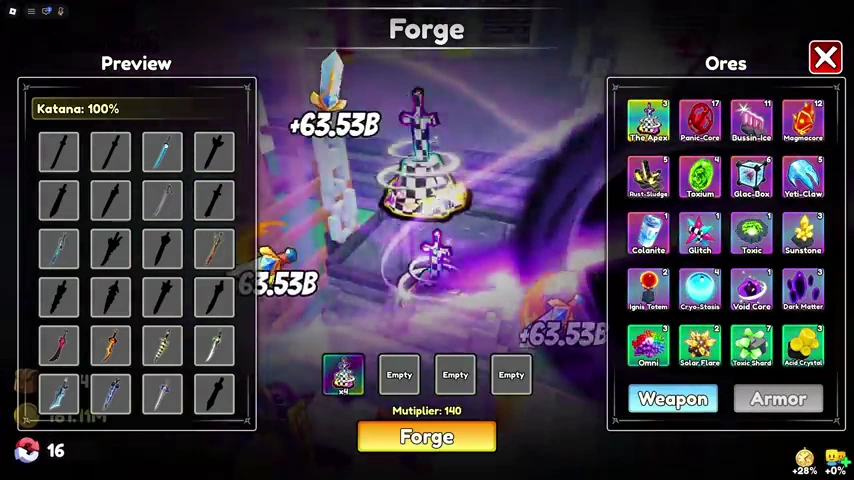
- 4 × Apex
- Shown class
- Katana
- Result rarity
- Infinite
- Return to the Weapon tab.Use a separate craft so the input is not mixed with leftover materials.
- Select four Apex and read the class preview.The recorded screen shows Katana at 100%. The narrator also identifies the input as four Apex.
- Check the reveal, then the Backpack.The resulting item is Bone Carver, class Katana, rarity Infinite. Your result and skill rolls can differ; this recording does not establish their distribution.
Find and equip the new sword
After the Greatsword reveal, the player opens Backpack, selects the new sword in the weapon inventory, and equips it. Check the selected item and its displayed stats instead of assuming that the forge animation changed your loadout.
Katana or Greatsword?
For these examples, compare four versus thirteen Apex, then compare the actual weapon you receive with the one you already use. The video demonstrates both classes, but does not run a controlled damage or clearing-speed test with otherwise identical equipment.
That is why neither craft is labeled the universal best choice here. Use the recipe index for the compact input table and the ore notes for collection context.
Watch the Katana sequence