Currently announced Loot To Forge codes
1BVISITS- Reward
- Neither official listing specifies a reward.
- Listed by
- Official Discord and Roblox game description
HALLOWEEN- Reward
- 2 Race Rerolls (Discord announcement checked October 23)
- Listed by
- Roblox game description
PET- Reward
- 2 Race Rerolls (Discord announcement checked October 23)
- Listed by
- Roblox game description
Roblox lists the code names without rewards. The two rerolls for HALLOWEEN and PET were announced on Discord in October and also reported by Pocket Tactics on October 21 and Radio Times on October 23. For egg hatching and feeding, see the Pets guide.
Previously announced codes
100000CCU- Reward
- 2 Season Tickets and 2 Race Rerolls (Discord announcement checked October 23)
- Status
- Neither current list includes this code. We found no official expiry notice and have not tested whether it still works.
SORRYBUG- Reward
- 5x Race Rolls (reported by Radio Times and shown in Default's October 7 video)
- Status
- Developer announced a two-day availability window on October 6; that announced window has passed. Redeemed in a creator video, not tested here
In the official October 6 compensation announcement, the manager offered five Race Tickets with SORRYBUG and said the code would be available for two days. That announced window has passed; we have not tested its current redemption response. The code was absent from the Roblox description by our October 9 check.
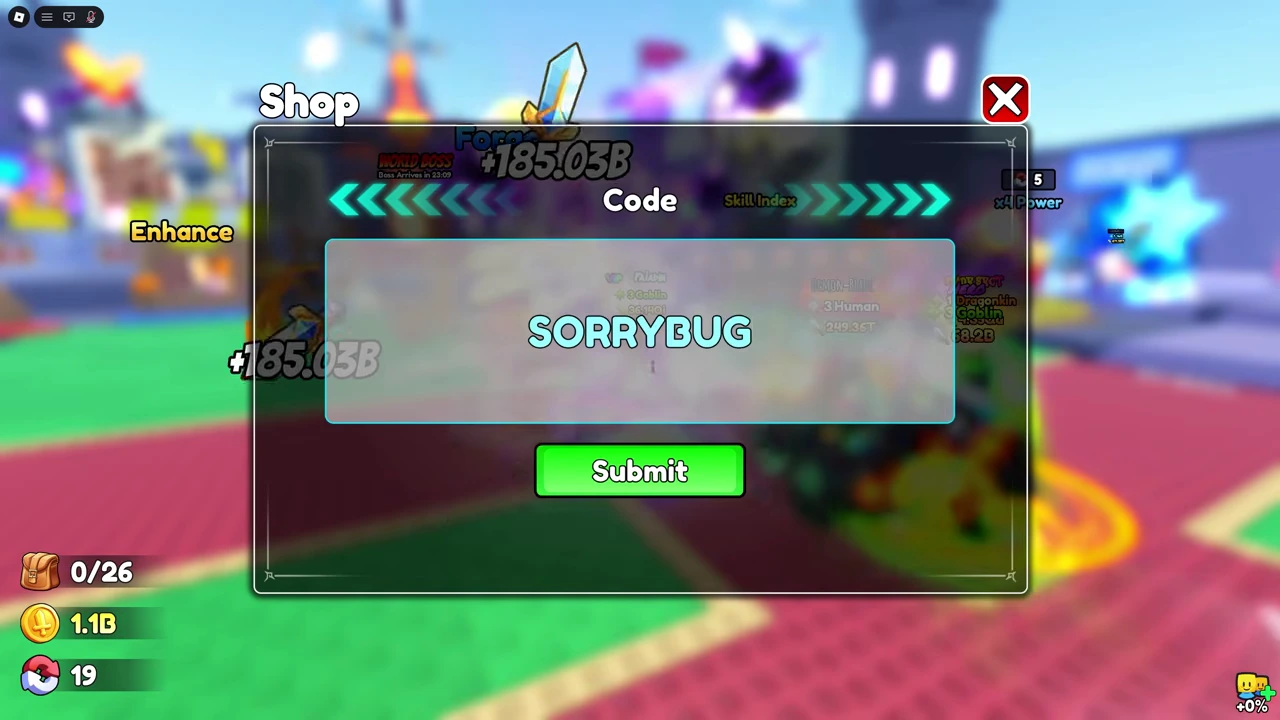
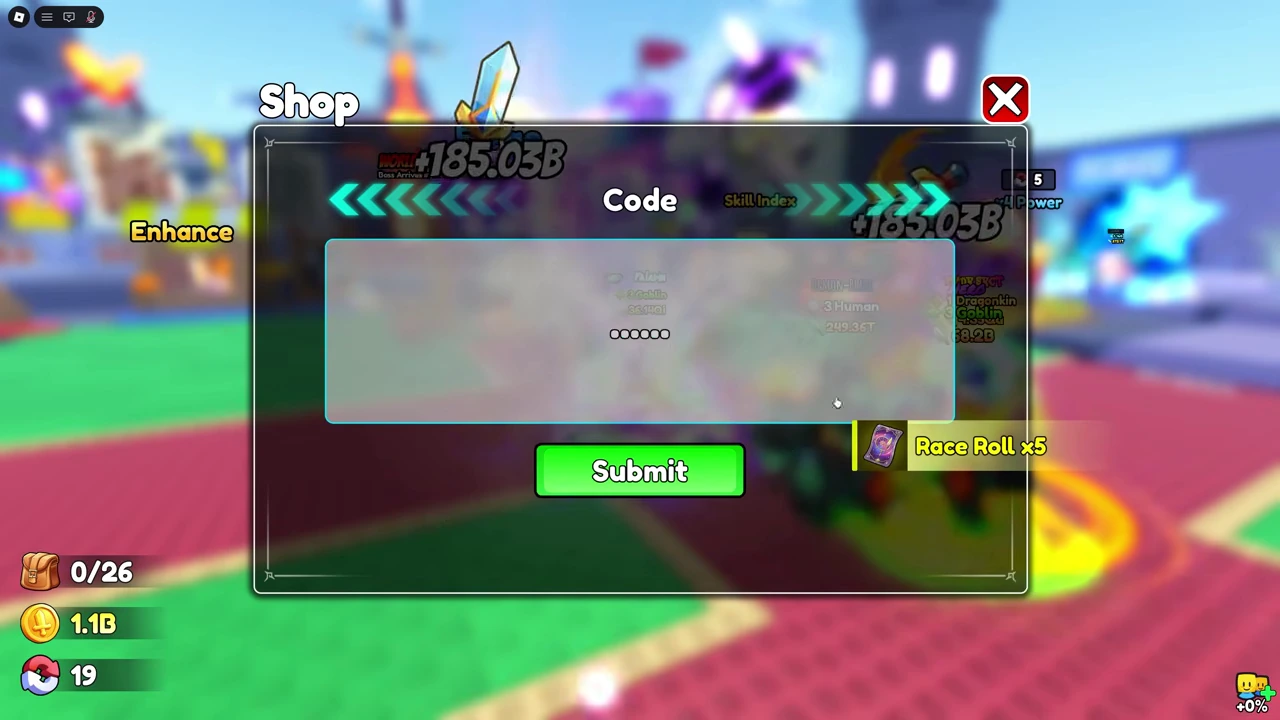
Radio Times reported 5x Race Rolls in its October 7 update. Default's video, uploaded October 7, shows SORRYBUG entered and submitted at 3:12–3:14, followed by a “Race Roll x5” notice. That is a recorded redemption on the creator's account, not our own test or proof that the code still works today.
How to redeem codes
- Open +1 Loot To Forge on Roblox.Use the Good Bro Studio game and complete the opening tutorial.
- Open Shop and scroll to the bottom.Look for the code entry box in the Shop menu.
- Paste one code, then press Submit.Copy the whole code without leading or trailing spaces. Read the game's response before trying another code.
The Shop → code box → Submit route is described by Pocket Tactics and Radio Times, checked October 3. Default's October 7 video shows the same Code box (above). These instructions are source-based, not a redemption test by this site.
Older codes and reported rewards
These codes appear in earlier published guides. Their current redemption status has not been established here, so they are separate from the latest official announcement.
| Code | Published report | Status here |
|---|---|---|
50000CCU | 50 Ember Stones | Reported expired by Radio Times (October 5); not retested |
30000CCU | Reported expired | Not independently checked |
20000CCU | Reported expired | Not independently checked |
Older-list sources: Pocket Tactics (September 28 version) and Radio Times (October 1 publication), linked above. Their older lists are not proof that a code works today.
If a code does not work
First check that you are in +1 Loot To Forge by Good Bro Studio, not the separate game The Forge. Paste the exact code, remove extra spaces, and read the response. If the game says it was already redeemed or has expired, changing the spelling will not fix that response.
A reward missing from the developer's description does not mean the code gives nothing. Reported rewards are not our own tests; use the reward shown by the game rather than assuming it matches an older milestone code.
Where to check for new codes
Check the official Discord codes channel and the Roblox game description. The Discord link was verified through the game's Social Links button. This page's date records our latest source check, not an automatic daily refresh. Announcements and tested redemptions remain labeled separately.
After redeeming, use the recipe table to compare material inputs, or follow the forging guide to find and equip your crafted weapon.